
Insert disc. Walk away.
Spindle watches for discs, rips with MakeMKV, identifies via TMDb, and adds to your Plex library — all automatically.
Download for Mac — FreemacOS 14 Sonoma or later · Requires MakeMKV & Plex
Spindle watches for discs, rips with MakeMKV, identifies via TMDb, and adds to your Plex library — all automatically.
Download for Mac — FreemacOS 14 Sonoma or later · Requires MakeMKV & Plex

How it works
Spindle detects it the moment it mounts. No clicking, no launching anything.
MakeMKV does the heavy lifting. Spindle monitors progress and queues the next step.
TMDb match, correct Plex naming, moved to the right library folder automatically.
Your movie or show appears in Plex, ready to watch. You never touched a file.
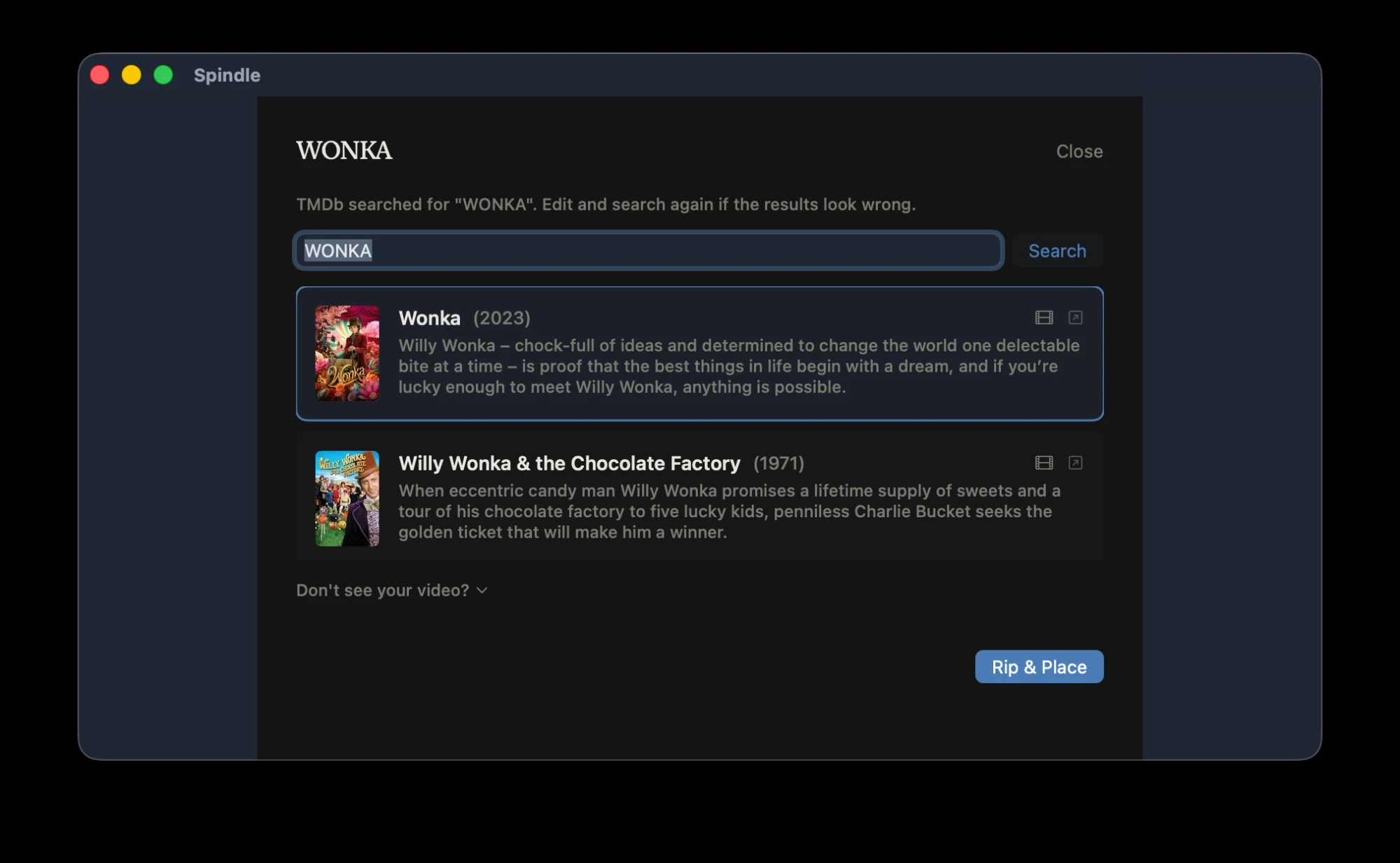
If a disc title is ambiguous — like "WONKA," which could be the 2023 film or the 1971 classic — Spindle surfaces a clean picker with TMDb metadata and poster art. You choose, it handles the rest.
Features
Rip multiple discs simultaneously. Spindle juggles them all without breaking a sweat.
TMDb lookup pulls the right poster, title, and year as soon as the disc is identified.
Files land exactly where Plex expects them, named exactly right, every time.
Get notified when a rip finishes or when something needs your attention.
No dock icon, no windows in your face. Lives quietly out of the way.
Spindle updates itself silently in the background via Sparkle.
Setup

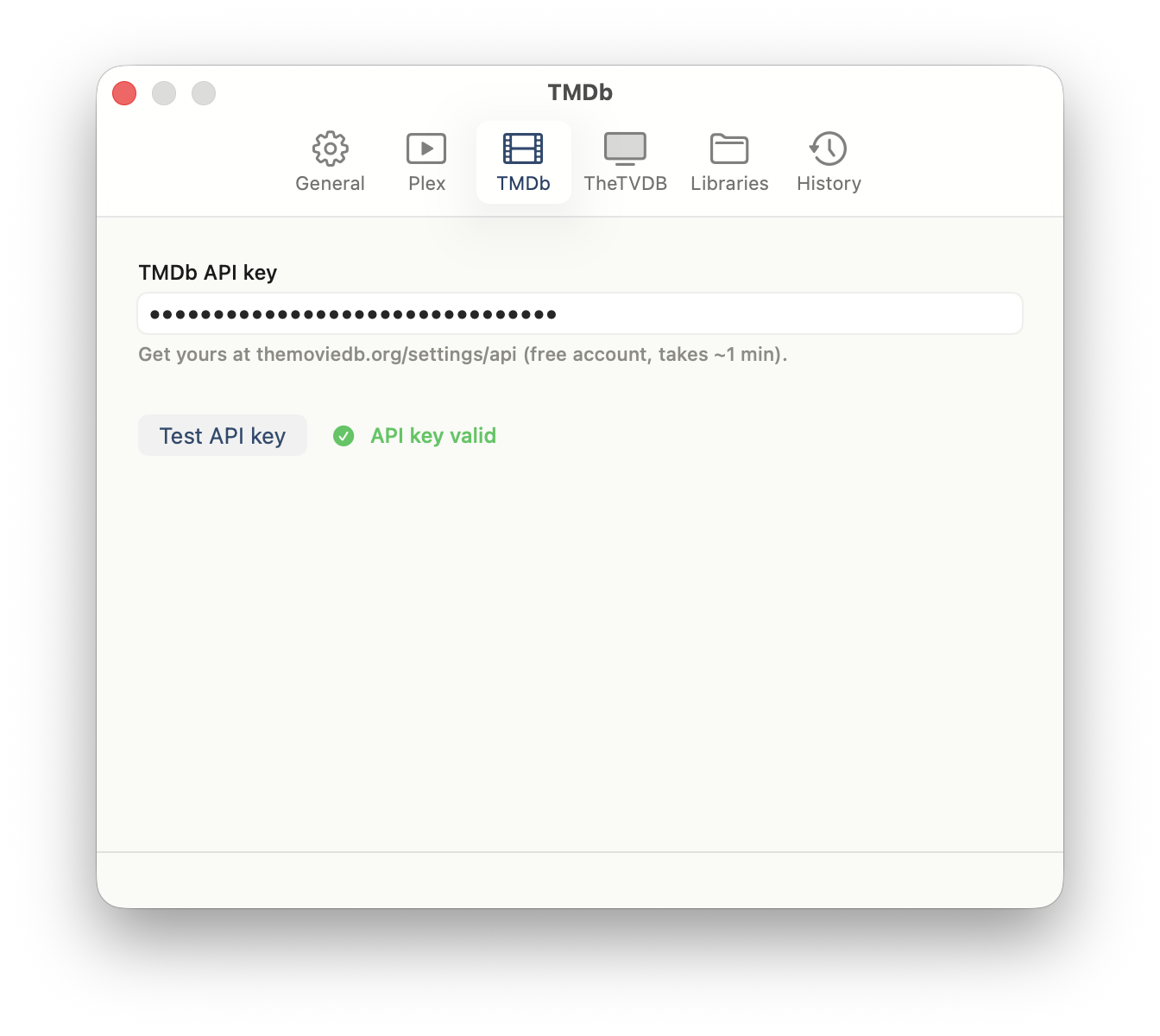
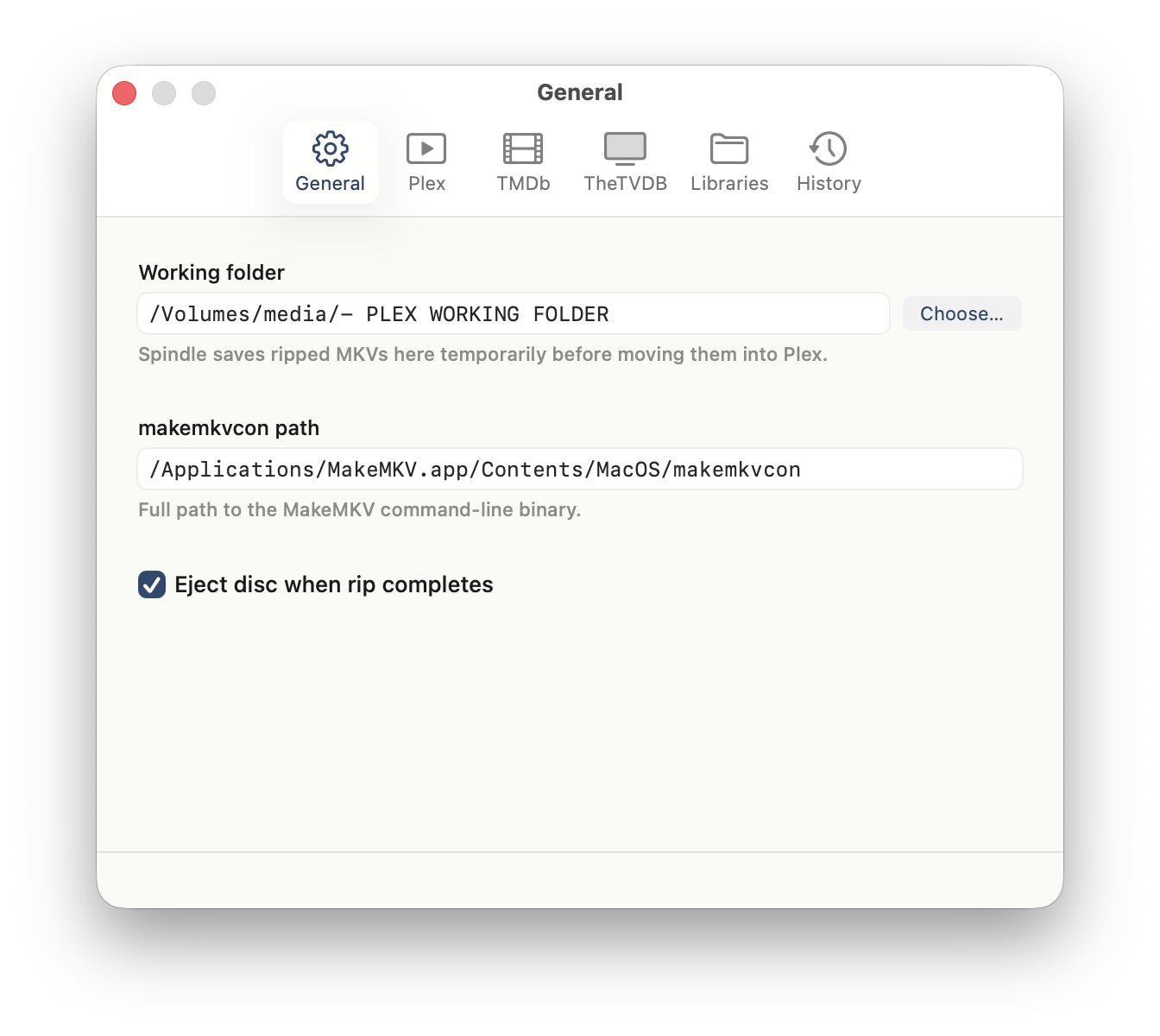
Enter your Plex server URL, TMDb API key, and MakeMKV path — then you're done.
Free download. No account, no subscription, no nonsense.
Download Spindle 1.0